
דילוג לתוכןSkip to content

Invoices

Every supplier invoice, read on arrival and posted straight to stock.

A supplier invoice comes in. How many hands touch it before the goods show up on your website?

How invoices come in

You already have the invoices.They're just not in one place.

  1. WhatsApp

    An invoice sent in a chat

    A message with a photo

  2. Email

    An invoice that came by email

    An email with an attachment

  3. Photo or upload

    A paper invoice that came with the goods

    A phone photo

Invoice center

  • Supplier invoiceForwarded from WhatsAppAwaiting approval
  • Supplier invoiceForwarded from emailAwaiting approval
  • Supplier invoicePhotographed on siteAwaiting approval

Now they are.

Every invoice.

In one place.

Each channel looks different coming in. Past this line, it's the same invoice.

Live todaySee exactly what runs
  • A secure intake address accepts any invoice file you forward to it, like one that came in on WhatsApp or by email. It saves the file, checks its contents to make sure it wasn't already received, and reads it the moment it arrives. It doesn't connect to WhatsApp directly, and an email logged without the file itself stays out of the queue until the file is attached.

    LIVEinvoice-ingest-inbox

  • Photograph a paper invoice or drag in images or PDFs, several at once if you like, and each one is read and matched to catalog products on the same screen.

    LIVEinvoice-intake-receiving

From paper to website stock

One invoice, up close.Nobody types it in.

Supplier, company ID, date, total, VAT and every line item. Until now, someone sat with the paper and typed it all in.

What arrived

Demo data

Supplier

M.R. Trading Ltd.

Tax invoice

40217·26.08

  • Glass cup 350 ml24₪7.48
  • Glass pitcher 1.2 liters6₪34.90
  • White cloth napkin40₪3.20
  • Ceramic plate 26 cm18₪12.60
  • Wooden tray 40 cm4₪58.00
  • Paper cups 200 ml200₪0.42
  • Stainless steel cutlery12₪9.90

6 of 7 lines matched to catalog products. One is waiting for a person.

One line, up close

Line 1 of 7

Demo data
Supplier
M.R. Trading Ltd.
Product
Glass cup 350 ml
Quantity
24
Unit price
₪7.48

The product in your catalog

Demo data

Glass cup 350 ml

SKU GL-350

Website stock after approval4872
Line matched to product

Needs a person

Line 5 · Wooden tray 40 cm · No confident product match.

The line stays empty and doesn't touch stock until one of you picks a product and approves it.

Meanwhile, with zero typing:

Demo data

Website stock updated

Once approved, 24 units were added to Glass cup 350 ml, exactly once.

Supplier identified by company ID

Filed under the right supplier, even when the name is spelled differently.

The invoice checked itself

The lines add up to the pre-VAT total.

Supplier price change caught

Glass cup 350 ml: ₪6.90 on the last invoice, ₪7.48 today.

The decisions stay yours.

That was the demo.

Here's the real screen.

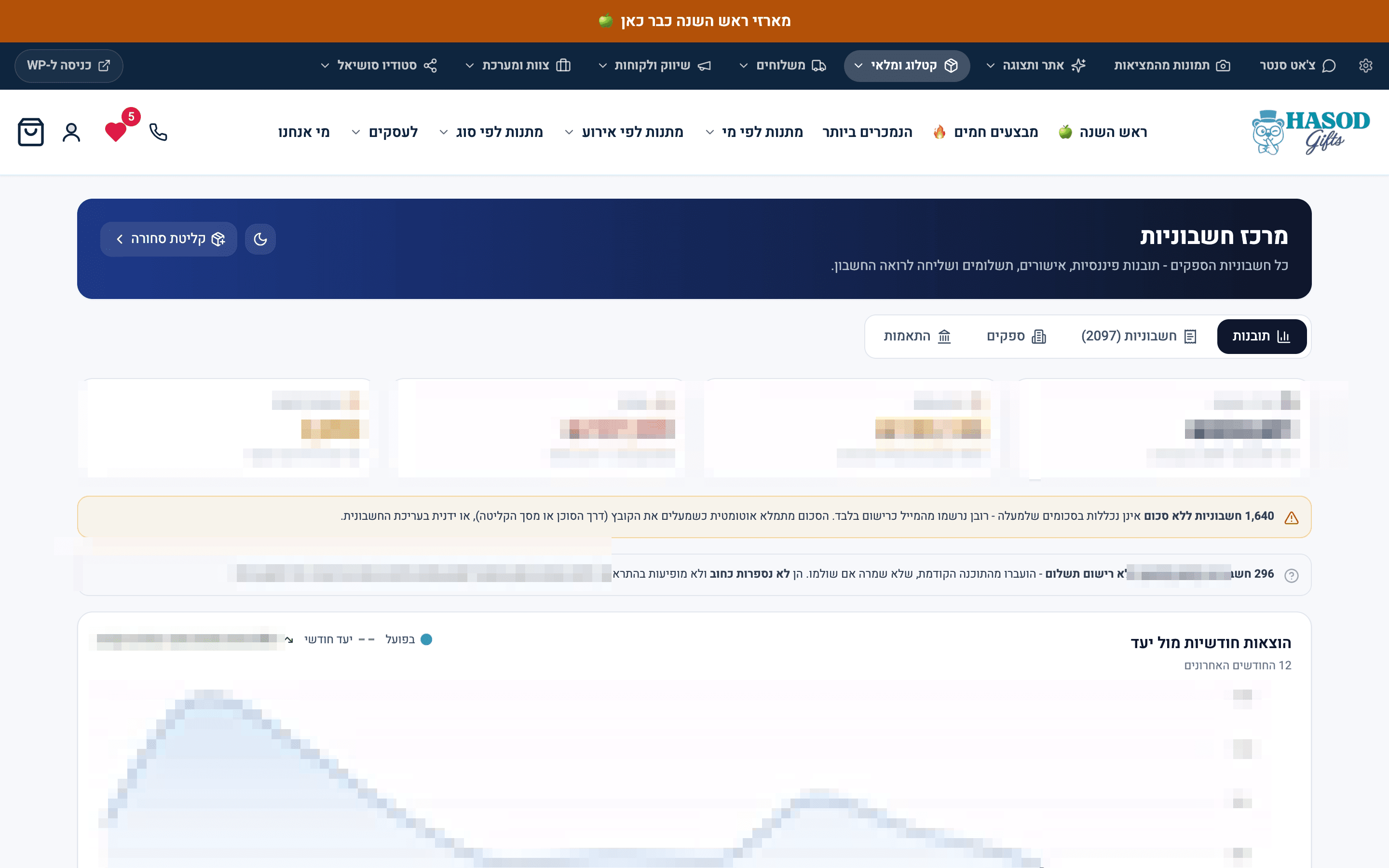
The invoice center at the business where MOVA was built: every supplier invoice in one place, with anything still missing flagged on screen, not hidden. Money amounts are blurred.

2,097 supplier invoices in one place. What is still missing on them is flagged on the screen.A real screen from the system

2,097 supplier invoices in one place. What is still missing on them is flagged on the screen.

The system MOVA was built on

What the Invoices department does

  1. Reads every invoice, line by line

    Live todayHow it works
    • An image or PDF invoice is read in one pass: supplier, company ID, document number, date, document type, total, VAT, and every line with its quantity and unit price. Summary lines like VAT, an overall discount and delivery fees aren't counted as items.

      LIVEvision-extraction

  2. Identifies the supplier by company ID

    Live todayHow it works
    • Suppliers are identified by the company ID or VAT number on the document, not by the logo. Every new invoice is filed under the name that number already belongs to, even if the supplier spelled its name differently.

      LIVEsupplier-tax-id-identity

  3. Checks itself before you rely on it

    Live todayHow it works
    • Each invoice opens with a gauge showing which fields were found and whether the lines add up to the invoice total. If the lines add up to the pre-VAT total, the screen says VAT wasn't detected and offers to fill it in.

      LIVEinvoice-confidence-audit

  4. Puts the goods into website stock

    Live todayHow it works
    • Approve the matched lines and the quantities go to the right products on your website, with cost prices updated. Stock is re-read before every write, so sales made in the meantime aren't wiped out, and the invoice is marked so it can't be received twice.

      LIVEinvoice-to-stock-intake

  5. Catches a supplier who raised a price

    Live todayHow it works
    • The purchase price on every invoice line is saved. During intake, the screen alerts you when a unit price differs from the previous purchase, and the dashboard lists the products whose latest price went up.

      LIVEprice-increase-radar

  6. One click, one file for your accountant

    Live todayHow it works
    • One click gives you a real Excel file with every invoice for the period, plus the PDF files themselves. An evening of digging through folders becomes one file you send.

      LIVEaccountant-handover

  7. Classifies expenses once per supplier

    Live todayHow it works
    • The first time a supplier comes in, its expense type is set, and every invoice after that is classified automatically. You can always change it, and your change sticks for next time.

      LIVEai-supplier-categorization

  8. Tells a receipt from an invoice

    Live todayHow it works
    • A receipt means you've paid; an invoice means you still owe. The system reads the document type and doesn't count the same money twice in what you owe suppliers.

      LIVEreceipt-implies-paid

  9. Spots what's worth checking on its own

    Live todayHow it works
    • It works from invoices already received: an invoice logged twice, a regular supplier who went quiet, VAT that doesn't add up, and this month's spending pace against previous months. A card with nothing to report doesn't show up at all.

      LIVEexpense-insights-panel

Who the Invoices department talks to

What they decide together

Each row is one department and the decision their conversation leads to. Pick a row to see the conversation.

InvoicesInventory

A supplier invoice comes in. The goods are already in stock.

Illustration
  1. InvoicesInvoice read: 6 lines, supplier matched by company ID, 5 lines matched to products.
  2. InventoryOne line needs approval before it touches stock.
  3. InventoryApproved. The quantities are in the site's stock and costs are updated.

Nobody typed a thing. Stock updates straight from the invoice.

Live todaySee exactly what runs
  • Approving an invoice's lines adds the quantities to the site's stock and updates costs, and the same invoice can never be received twice.

    LIVEinvoice-to-stock-intake

Open Inventory

The question we get about this department

What if it misreads a line?

A line without a confident enough match stays empty and waits for a person instead of guessing the closest product. An invoice with lines isn't approved until one of you has decided on every line. The point is to take away the typing and leave you in control.

Live todaySee exactly what runs
  • Each line is matched to a product by SKU and by how similar the Hebrew names are. Below a confidence threshold, the line stays empty. When two names carry numbers that don't match, like 200 grams vs. 500 grams, the score is capped and isn't marked as a sure match.

    LIVEinvoice-intake-receiving

  • An invoice with lines isn't approved until a person has decided on every line, and only an approved invoice can be sent to the accountant. The send is checked on the server too, not just on screen.

    LIVEverify-approve-send-accountant